
In addition to assigning general access controls to files such as public or private, a list of specific access controls can be assigned to a file. The guard file provides the means to apply additional access controls that further restrict access to a file. In other operating systems, access controls can be assigned to a file using access control lists (ACLs) or access control records (ACRs).
A guard file is another level of security that defines the access rights of various users and programs for access to a program, data file, or database. A guard file can contain one or more access rules. These access rules apply to the file that the guard file is assigned to protect. When a file is protected by a guard file, the system examines the access rules in the guard file to determine the access restrictions to the protected file.
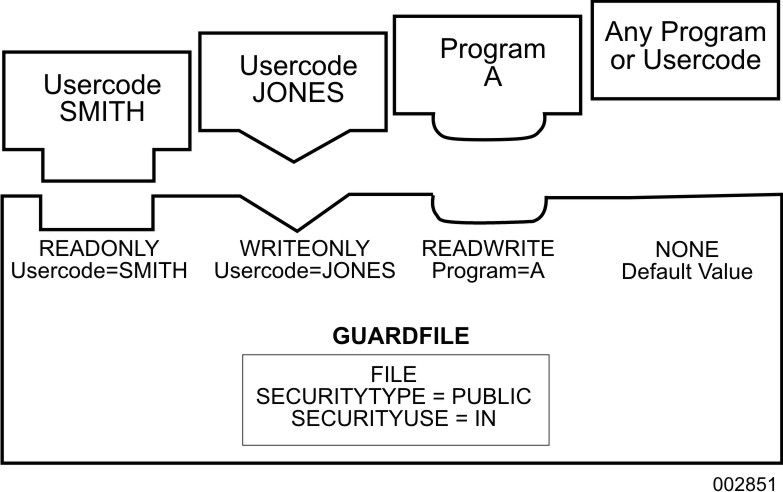
Guard File Protecting a File illustrates a few of the restrictions available using a guard file. For example, the guard file can specify that usercode SMITH has read-only access, usercode JONES has write-only access, and program A has read and write access. All other usercodes and programs are denied access to the protected file.
When a file is protected by a guard file, the guard file is examined before access to the guarded file is granted. Every attempt to open the guarded file by a nonprivileged task causes the system to examine the access rules in the specified guard file. These rules determine whether or not access is granted to the protected file.
|
A privileged user or process bypasses the guard file for a GUARDED or CONTROLLED file. The file owner bypasses the guard file for a GUARDED file. |
 Caution